By Chris Iverson
In Palo Alto, a home office is no longer a bonus feature—it’s an expectation. With so many professionals working in tech, venture capital, and research near Stanford University, the way you design your workspace can directly impact both daily productivity and long-term home value. Whether you’re setting up a dedicated office in Old Palo Alto or carving out space in a Midtown home, knowing how to arrange a home office strategically makes all the difference.
Key Takeaways
- Location within the home affects focus and functionality.
- Lighting and ergonomics are essential for daily productivity.
- Built-ins and storage enhance both design and resale value.
- A well-designed office appeals to Palo Alto buyers.
Choose the Right Location in the Home
Before selecting furniture, decide where your office should live. In Palo Alto homes, layout options range from detached backyard studios to converted bedrooms and loft spaces.
Ideal Office Locations
- Quiet rooms away from main living areas
- Spaces with natural light exposure
- Rooms with doors for privacy
- Detached ADUs or backyard studios
- Underutilized flex rooms
In neighborhoods like Crescent Park or Professorville, larger lots sometimes allow for separate office structures, which can be especially valuable. Understanding how to arrange a home office begins with choosing a location that minimizes distraction.
Position Your Desk Strategically
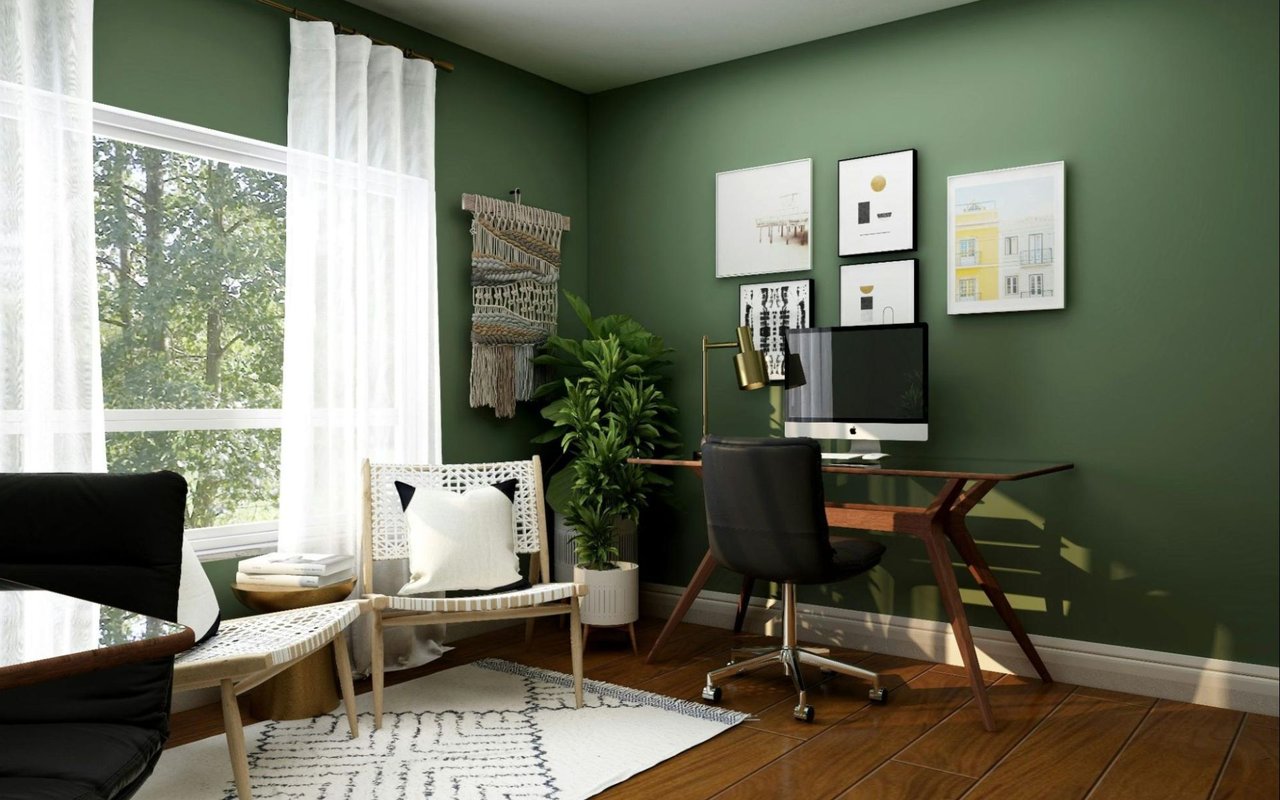
Desk placement affects both comfort and focus. I often recommend orienting the desk to maximize light while avoiding screen glare.
Smart Desk Placement Tips
- Face natural light without direct glare
- Keep your back to a solid wall for visual stability
- Avoid positioning directly in front of heavy foot traffic
- Maintain clear pathways around the desk
- Ensure access to outlets and connectivity
Homes in Palo Alto frequently feature large windows, so managing light thoughtfully is essential. Proper positioning improves workflow and helps create a professional backdrop for virtual meetings.
Prioritize Ergonomics and Comfort
A well-designed office should support long workdays. Function matters just as much as aesthetics.
Ergonomic Essentials
- Adjustable office chair with lumbar support
- Desk at proper height alignment
- Monitor positioned at eye level
- Anti-fatigue mat for standing desks
- Adequate legroom and circulation space
When advising clients on how to arrange a home office, I always emphasize comfort first. Productivity suffers when furniture isn’t supportive, especially for professionals working extended hours.
Incorporate Smart Storage Solutions
Clutter reduces efficiency and diminishes the overall look of the space. Built-in storage elevates both form and function.
Storage Features That Add Value
- Floor-to-ceiling shelving
- Concealed cabinetry
- Filing systems within drawers
- Cable management systems
- Floating shelves for clean design
In Palo Alto’s luxury market, custom millwork often enhances resale appeal. A thoughtfully designed office with built-ins signals intentional use of space.
Layer Lighting for Performance
Lighting plays a critical role in productivity. Relying solely on overhead lighting can create fatigue and shadows.
Lighting Recommendations
- Adjustable desk lamps
- Warm ambient lighting
- Recessed lighting with dimmers
- Accent lighting for shelving
- Proper task lighting for reading
In Silicon Valley homes, layered lighting improves both usability and design cohesion. When thinking about how to arrange a home office, light planning should be part of the initial layout.
Optimize for Technology
Given Palo Alto’s tech-driven environment, seamless connectivity is non-negotiable.
Technology Considerations
- Strong Wi-Fi coverage
- Hardwired Ethernet connections
- Integrated charging stations
- Soundproofing for video calls
- Backup power solutions
Homes near Stanford or in Midtown often support high-speed infrastructure, but verifying connectivity ensures your office functions efficiently.
Maintain Design Consistency With the Home
Your home office should feel integrated rather than isolated in style. Cohesion enhances both personal enjoyment and resale appeal.
Design Consistency Tips
- Match flooring materials
- Coordinate color palettes
- Use complementary hardware finishes
- Maintain similar trim details
- Keep décor refined and minimal
In Palo Alto’s competitive market, buyers appreciate flexible spaces that can transition between office, guest room, or study. A neutral, well-arranged office broadens appeal.
Plan for Flexibility
Work habits evolve, and your office should adapt accordingly. Designing with flexibility supports long-term usability.
Flexible Office Features
- Convertible desks
- Modular shelving
- Fold-away workstations
- Dual-purpose guest accommodations
- Multi-monitor capability
Understanding how to arrange a home office with adaptability in mind ensures your space remains functional as needs change.
FAQs
Does a home office increase property value in Palo Alto?
Yes, especially when it’s well-designed and functional, as remote work remains common in the area.
Should I convert a bedroom into an office?
It depends on your layout and resale goals. Maintaining sufficient bedroom count is important in Palo Alto’s market.
What’s the most important element in a home office?
Ergonomics and lighting are typically the most impactful factors for daily comfort and productivity.
How to Arrange a Home Office for Maximum Impact in Palo Alto
A thoughtfully designed workspace supports productivity while enhancing long-term property value. In Palo Alto, where professional life and home life often intersect, a well-arranged office is more than a convenience—it’s an asset.
If you’re searching for a home with dedicated office space or considering updates before selling, reach out to me. I’ll help you evaluate layouts, improvements, and features that align with Palo Alto buyer expectations and your personal goals.